What CodeDrop Actually Does
Technical infrastructure for reliable AI-assisted development. No hype. No magic.
Structural Blueprinting
Encodes file paths, directory hierarchy, and metadata into protocol headers. AI receives explicit path context—not flat code blocks.
Path loss causing broken imports or misplaced files.
Deterministic Sharding
Splits large payloads into ordered shards with sequence numbers and cryptographic hashes. Reassembly is verifiable.
Silent truncation causing hallucinated logic.
Token Saver Compression
Applies indent compression and keyword mapping to reduce token count without altering semantic content.
Forced file exclusion due to token budget.
Protocol-Based Reassembly
Parses protocol headers, validates hash, performs line count comparison, and creates ZIP with modified files in proper directory structure for merge.
Copy/paste errors, accidental overwrites, corruption.
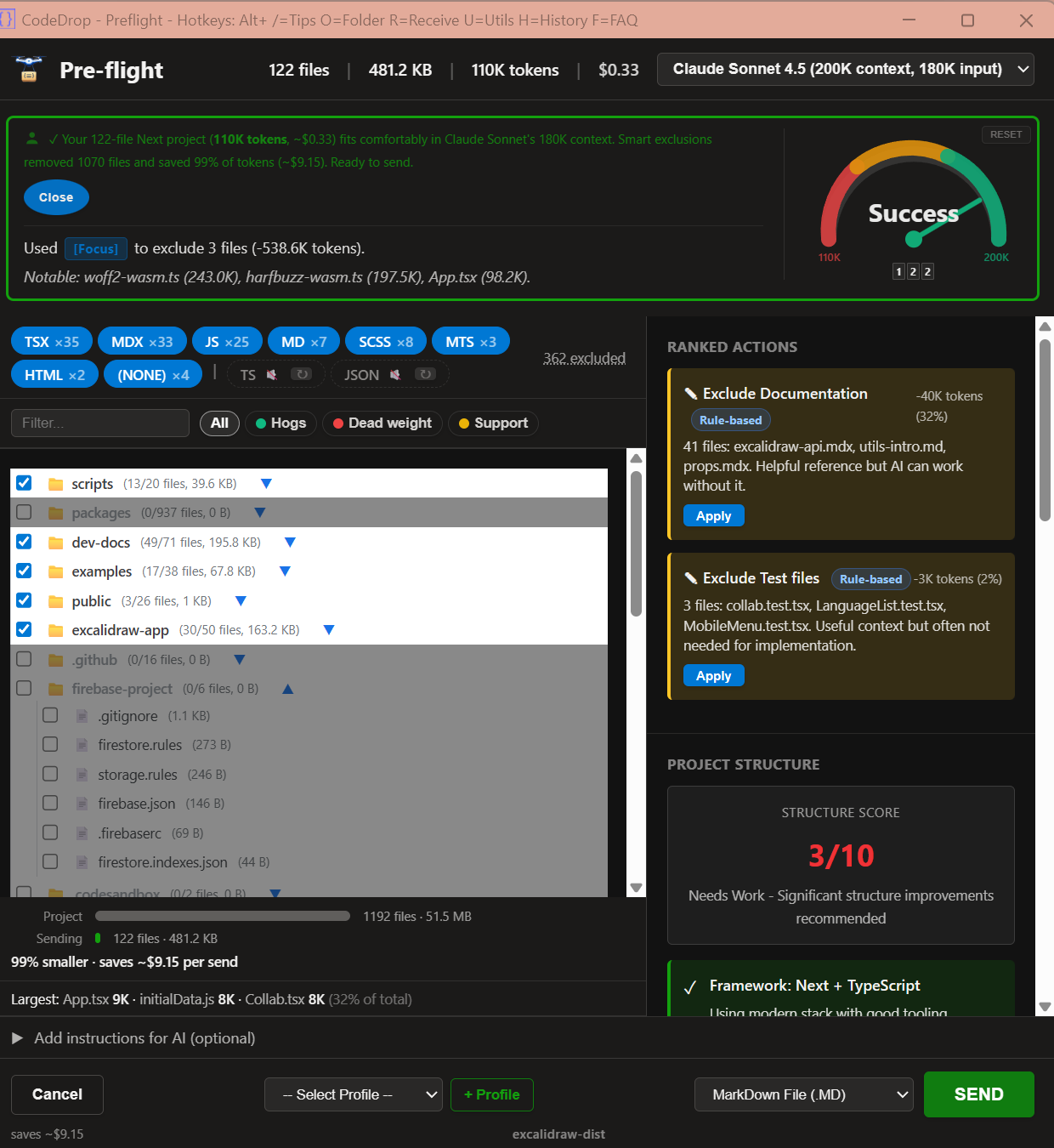
Preflight Intelligence
Three instruments work together in real time. The Narrator classifies every file and generates a plain-language diagnosis — not a generic warning, but a specific explanation with ranked actions. The Barometer is a live analog gauge showing context pressure — red, yellow, green zones shift dynamically as you optimize or switch AI models. The Chronicle tracks every action and builds a running summary of what you excluded, tokens saved, and notable large files. One-click solutions in a sidebar, reusable profiles, and brand-neutral recommendations — CodeDrop works with any AI and never pushes you toward a specific vendor.
Blind sends that exceed context limits, wasted tokens on dead-weight files, and biased model recommendations.
Adaptive Smart Filtering
Binary files (images, fonts, archives, executables) are auto-detected and excluded before you see them. Unknown text extensions get a categorization dropdown — your decisions are stored locally with confidence scoring and applied automatically to future projects. After a few consistent choices, CodeDrop stops asking.
Repetitive manual exclusions, accidentally including binaries, and decision fatigue.
Category-Based Exclusions
Files are grouped by type: logs, lock files, build artifacts, test snapshots, environment secrets, fonts, media. Toggle entire categories on or off from the Extension Manager.
Accidentally sending secrets, bloated binaries, or generated files.
Screen Guide
Press Alt+/ to turn on Screen Guide: numbered badges appear on buttons and fields so you can learn each screen quickly. Hover any badge for plain-language tips, then open context-aware FAQ help for deeper guidance.
New user confusion, missed features, and repetitive onboarding questions.
Native Integration: Skills & Gems
Native integration across all three major AI platforms: Claude Skills, ChatGPT Skills, and Gemini Gems. Install once (same skill file works for Claude and ChatGPT) or create a Gem in Gemini — AI automatically recognizes .codedrop files without manual primer pasting. The integration loads protocol specifications on demand, handles compression, validates format, and ensures proper round-trip responses. Browser users paste the primer once per chat; Skills and Gem users get zero-friction workflow that persists across all conversations.
Manual setup per chat, primer copy-paste friction, and forgotten protocol initialization. Native integration users (Claude Skills, ChatGPT Skills, Gemini Gems) get seamless one-time setup with persistent availability across all conversations on all three major platforms.